
Njord Player
Data and video, perfectly in sync.
Debrief before dinner. Load your boat's data and footage, and walk into the debrief with everything aligned, annotated, and ready to present — in minutes, not hours.
v2.7.2 · July 27th, 2026 · Njord Player 3 Preview
Free 30-day trial · No credit card required
Getting started
No prep. No conversion. Just drop and go.
The biggest obstacle to a great debrief isn't the analysis — it's getting the data and footage ready. Njord Player removes that obstacle entirely.
Step 1
Drop in your log file.
Expedition, FaRo, B&G Hercules, Vakaros, Sailmon, Velocitek — and 50+ other formats. Whatever came off your boat, load it as-is. No export step, no spreadsheet wrangling.
Step 2
Drop in your media.
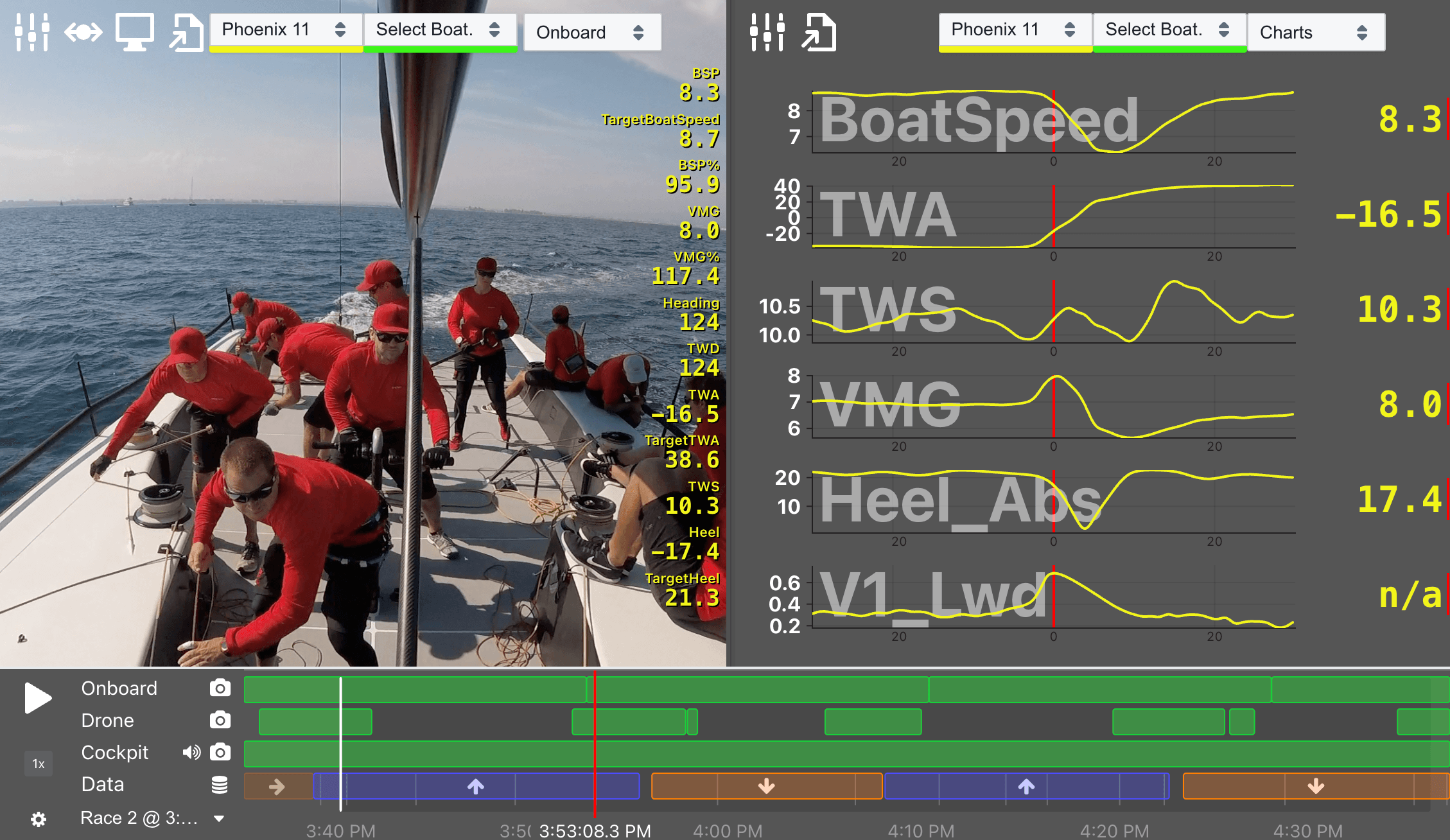
GoPro footage, drone video, coach boat clips, rig photos — drop the whole folder. Njord reads timestamps directly from your files and aligns everything automatically, down to the sub-second.
If a camera's clock was off, fix all its files in one adjustment.
Race-aware timeline
Navigate the day in seconds.
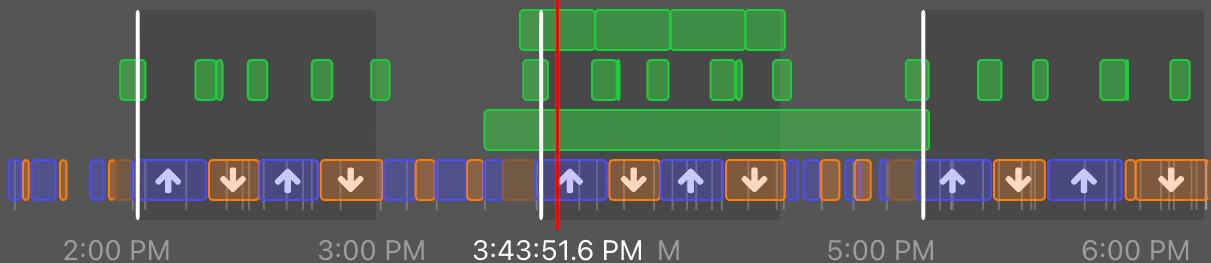
Njord automatically analyses your boat's data and builds a timeline that understands sailing — not just timestamps.
Upwind and downwind legs are colour-coded. Tacks and gybes are marked. Races and legs are labelled. Your own on-water comments appear as markers. Finding that moment — the bad tack on the second upwind, the gust that cost you positions — takes seconds, not a session with a spreadsheet.
Media from all your sources is overlaid on the same timeline, so you always know exactly which footage covers which moment.
Multi-window
Command the room.
Run any number of windows across any number of screens — all playing in perfect sync.
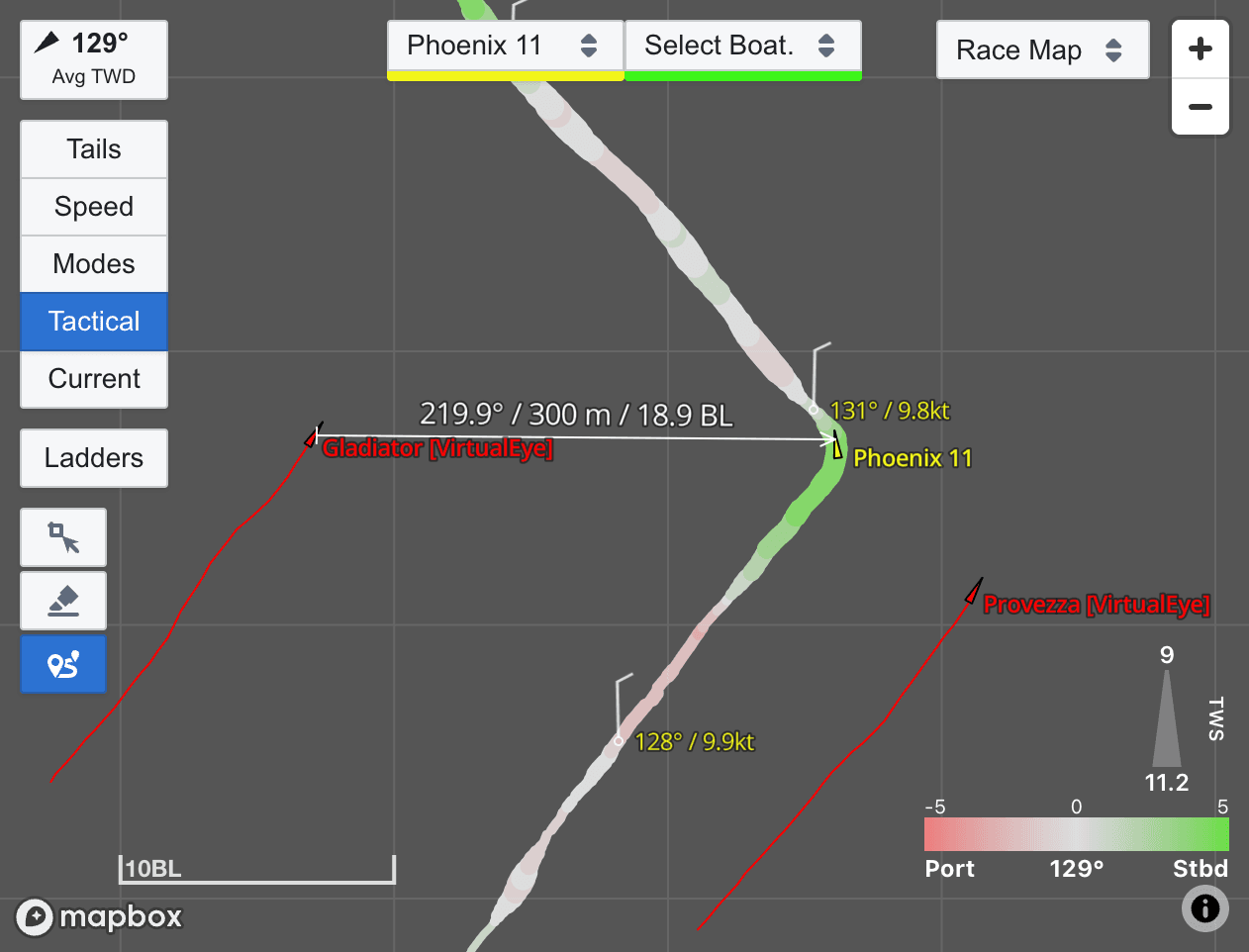
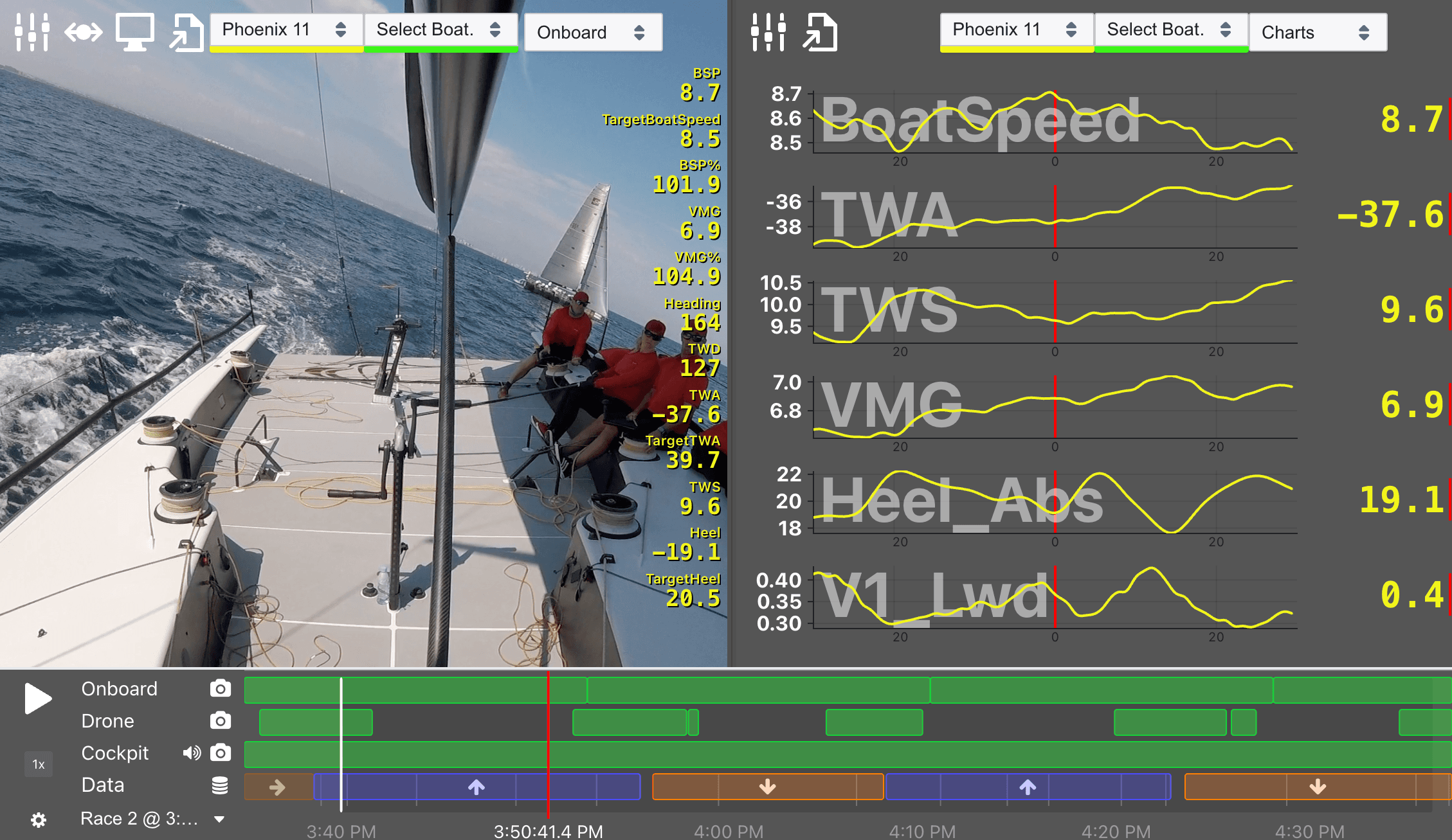
Set up a main window with onboard footage and live data charts alongside a secondary tactical map. Every source plays together at the same moment in the race. Whether you're presenting to a full squad or huddled around a laptop on the dock, you're in control of all of it.
Any number of windows
Video, charts, map, photos — each in its own resizable window. No limit on how many you run simultaneously.
All in perfect sync
Every window stays locked to the same playback position. Scrub in one and everything follows.
Njord Web Player
Runs in any modern browser — including iPad and Android tablets. Pulls data directly from Analytics with no download step. The desktop app adds full multi-window capability for presenting across multiple displays.
Data overlays & export
Every frame tells the full story.
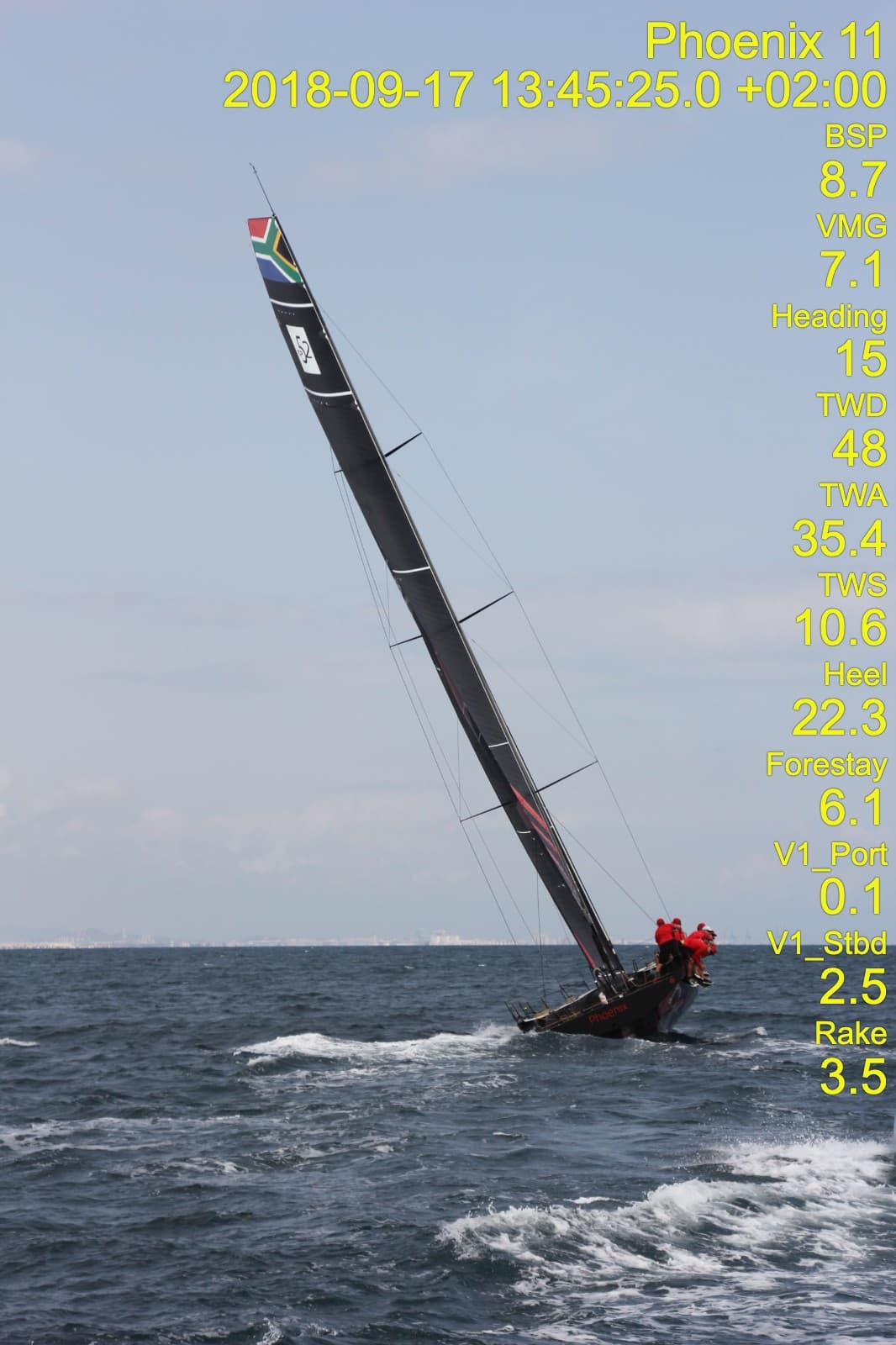
Choose which metrics appear on your video or photos — boatspeed, true wind, heel, time to gun, and more — and configure prestart and racing overlays separately.
Video export
Export video with data overlays baked in — ready to share with the team or review on any device. Configure output resolution and quality for the exact use case.
Batch photo export
Export all your rig shots with the correct data for each photo's exact timestamp. One click for the whole session — boatspeed, heel, forestay, and more, per frame.
Go deeper when you need to.
Live strip charts
A rolling line chart view plays alongside your video, letting you watch boatspeed, wind angle, VMG, and more move in real time as the footage plays. A first window into the numbers for less analytically-minded teams.
Comment view
See timestamped notes from the water or pre-debrief prep and jump directly to those moments. Synced with Njord Analytics if you use both — the same markers appear in both tools.
Supported formats
Works with what you have.
Njord Player supports 50+ log file formats — more than any other debrief tool. If it came off your boat's instruments, we almost certainly support it. Any type of video, photo, or audio file is supported for media.
Full format listFull instrument systems
Expedition, FaRo, B&G Hercules/Triton Edge, NKE, Deckman, Adrena
Self-contained units
Vakaros, Sailmon, Velocitek, Novasail, Racegeek, Helmsmart
Open formats
NMEA 0183, SignalK / CANboat, GPX, CSV, and more
Don't see yours? Get in touch — we add formats regularly.
Better together
Using Njord Analytics too?
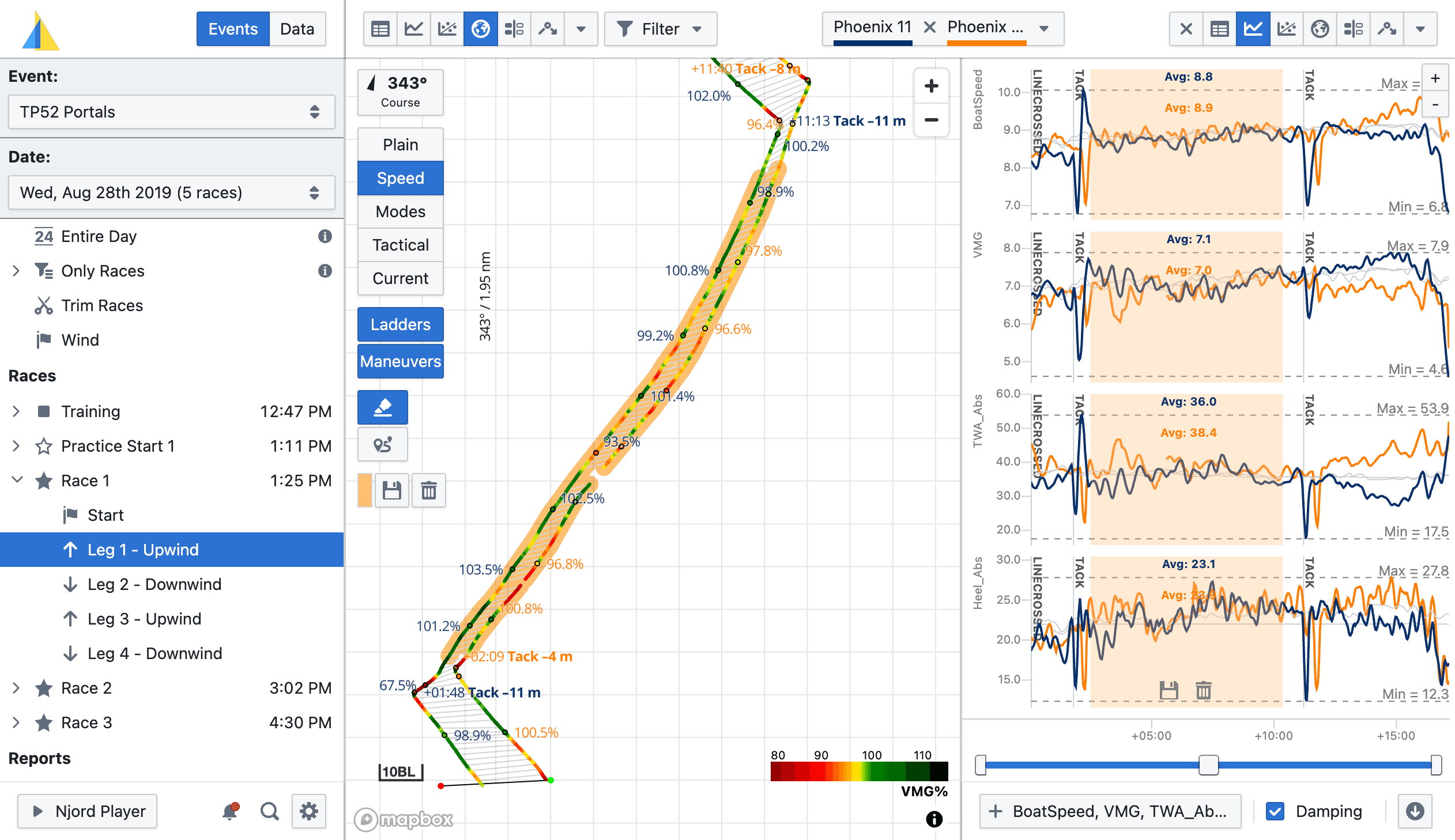
Your boat data, race times, and comments stay in sync across both. Analyse the numbers in Analytics. Walk into the debrief with the footage in Player. Your team sees the full picture — data and video, on the same timeline.
Try it free for 30 days.
No credit card required. Load your data, run a debrief, and see for yourself. After your trial, you only pay for the days you actually sail.